Work with real focus. Unfocus at the right moment.
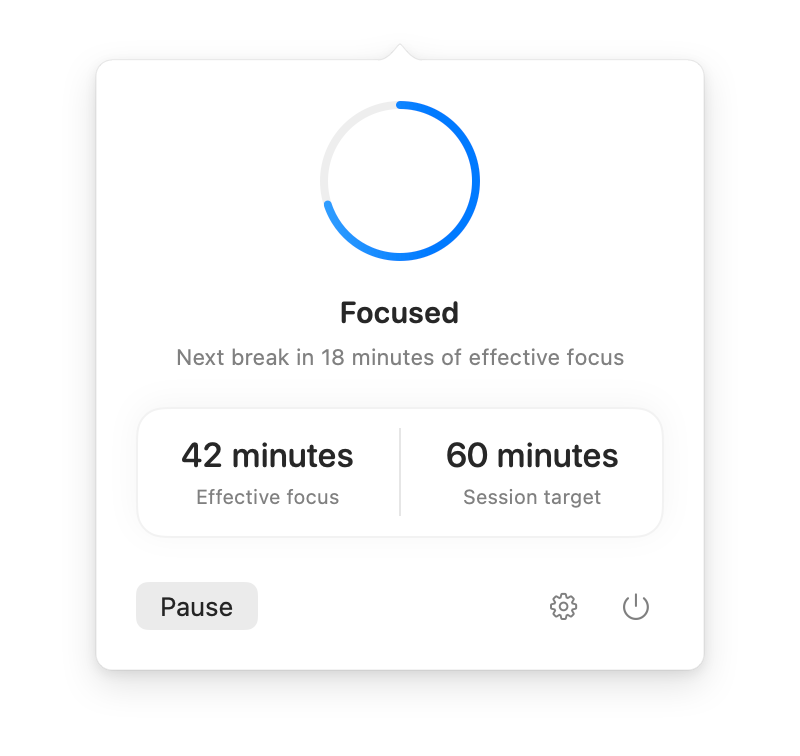
UNFOCUS measures effective working time across all your Mac apps. When 60 minutes accumulate, it waits for a natural stopping point before gently inviting you to take a 60-second break.
Free download · 7-day full trial · €9.99 one-time purchase · No subscription
A gentle way to step away
Designed to respect your flow state instead of interrupting you in the middle of a thought.
Effective Focus Time
Measures genuine interaction across all apps rather than passive screen-on or wall-clock time. Reading and thinking continuity up to 60 seconds is preserved.
Well-Timed Breaks
After an hour of focus, it waits for a small pause before inviting you to step away.
Multi-Display Calm Overlay
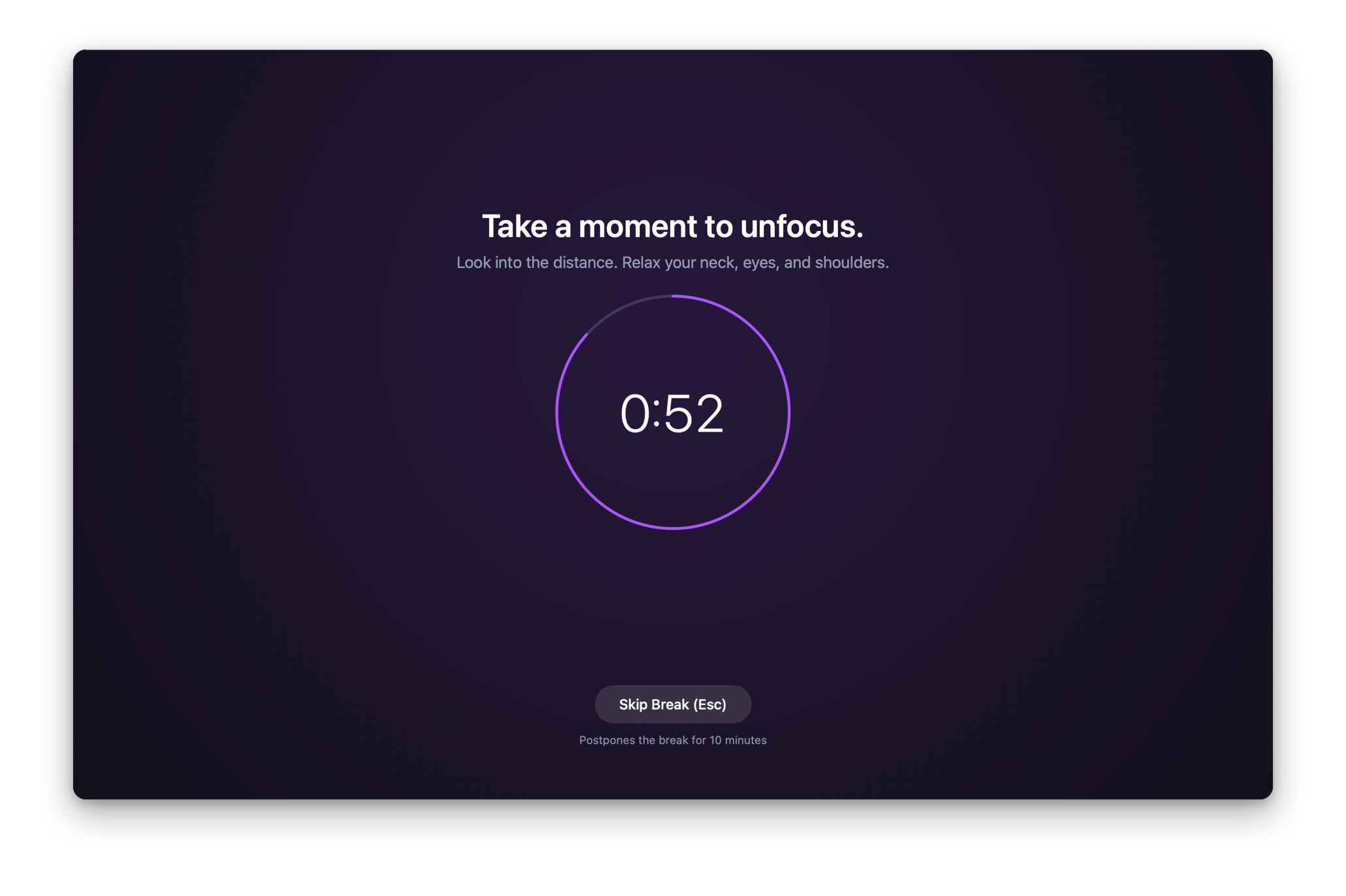
A calm 60-second pause appears across your displays, giving your eyes and mind room to reset.
Private by Design
Uses no Accessibility, Screen Recording, Input Monitoring, camera, or microphone permission. It does not record keystrokes or screens.
Designed for peaceful disconnection
When the break arrives, UNFOCUS gently blankets your displays so your visual cortex can rest.
Dark Frost
A dark, softened view that makes it easier to look away.
Light Frost
A bright, airy frosted glass alternative for daytime workflows or high-ambient lighting environments.
Black
A simple black screen for the fewest possible distractions.
Calm
A quiet, gentle scene for a softer way to step away.
No timers to start. No apps to configure.
1. Work naturally
UNFOCUS runs quietly in your menu bar. There are no Pomodoro timers to start, no categories to tag, and no rules to maintain.
2. Natural transition detected
After 60 minutes of effective focus, UNFOCUS briefly waits for a short pause, app change, or Space change before presenting a break.
3. Take 60 seconds to unfocus
Look away, stretch, and breathe. Then return when you are ready.
Private by design
UNFOCUS is an intervention utility, not an activity surveillance tool. It keeps no history and asks for no permissions.
Zero Permissions Requested
No Accessibility API access, no Input Monitoring, no Screen Recording, no microphone, and no camera access. Runs entirely in the standard macOS App Sandbox.
Aggregate Idle Only
Uses macOS system queries for seconds since last input event. UNFOCUS never captures keystrokes, mouse positions, or what you are typing.
No Window or App Tracking
Detects app transitions solely to identify natural stopping points. Never logs window titles, URLs, filenames, or document content.
100% Local & Offline
No servers, no telemetry, no analytics, and no third-party tracking SDKs. Works completely offline.
One price. No subscription.
Try UNFOCUS with all features available for 7 days. If you love it, buy it with a single purchase.
One-time purchase · No subscription
- A break rhythm that follows your work across apps
- Natural break signals with bounded interruption protection
- Multi-display overlays with Dark Frost, Light Frost, Calm & Black
- Four visual break treatments & fully configurable timing
- Universal binary for Apple Silicon and Intel Macs
- Family Sharing & all future updates included
- Available in 7 languages
One-time purchase · No subscription · No in-app purchases
Frequently asked questions
How is UNFOCUS different from standard Pomodoro timers?
Traditional Pomodoro timers use rigid wall-clock alarms that interrupt you in the middle of writing code, typing an email, or thinking through a problem. UNFOCUS measures actual engagement across apps, and once 60 minutes accumulate, it waits for a natural pause before inviting you to take a break.
What permissions does UNFOCUS need on macOS?
None. UNFOCUS does not ask for Accessibility, Screen Recording, Input Monitoring, Microphone, or Camera permissions. It uses public macOS system APIs that only report the aggregate elapsed time since any user input occurred, keeping your data entirely private.
How does UNFOCUS handle active external audio input?
Confirmed external audio input can temporarily protect an interruption. This is bounded context evidence, not universal meeting or presentation detection.
Can I skip or postpone a break if I'm in the middle of something urgent?
Yes. Whenever the break overlay appears, pressing the Esc key or clicking 'Skip Break' immediately dismisses the overlay and grants 10 minutes of eligible grace before another natural break window begins.
What happens if I step away from my desk for coffee or lunch?
If you step away for a while, UNFOCUS treats that as a real break and begins the next cycle fresh when you return.
How does the 7-day trial work?
When you launch UNFOCUS for the first time, you can start a free 7-day trial directly from the onboarding window. It requires no Apple ID transaction, no credit card, and has no automatic renewal. Once expired, settings remain accessible while focus cycles pause until you purchase the app.
Which macOS versions and hardware are supported?
UNFOCUS is a universal binary supporting both Apple silicon (M1/M2/M3/M4) and Intel Macs running macOS 13.0 (Ventura) or later.